github学生认证常见问题解决方案(已Approved)
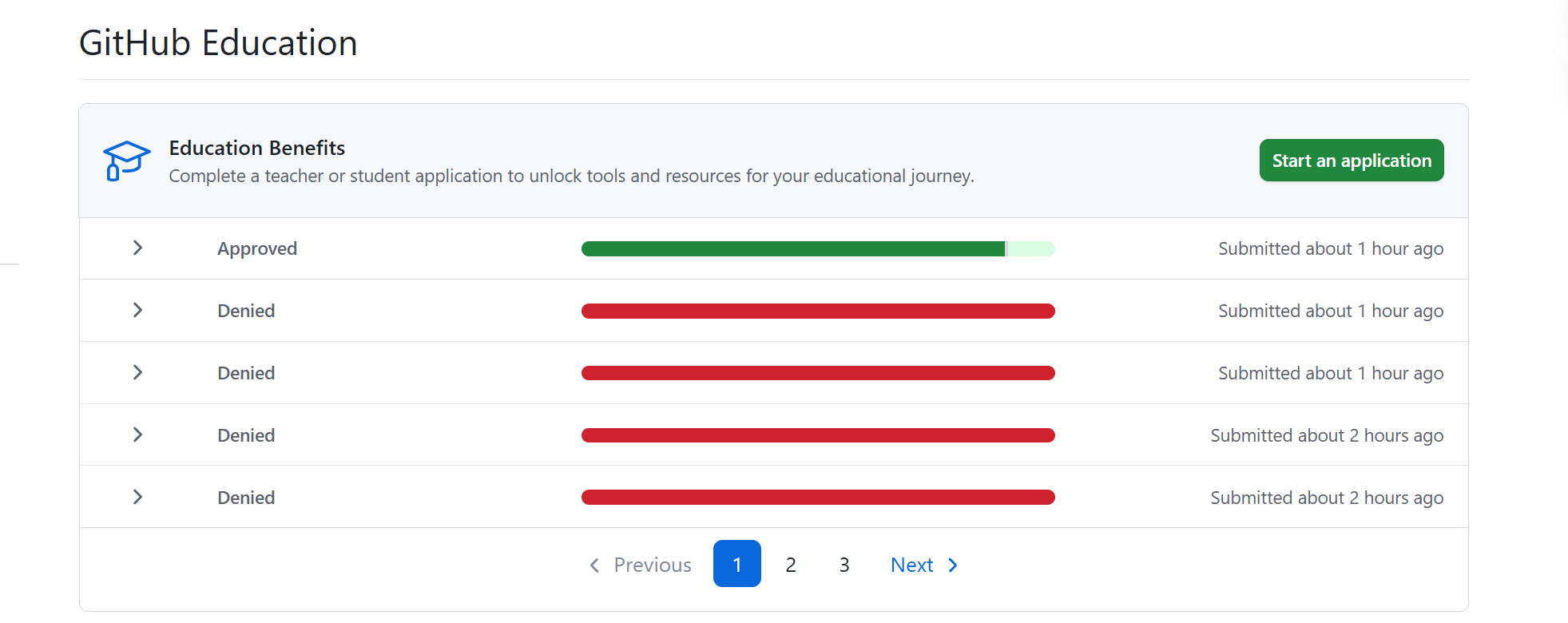
作者通过13次的试错,找了网上无数大佬们的解决方案,总结了本篇文章
1. 前期准备
必要软件:
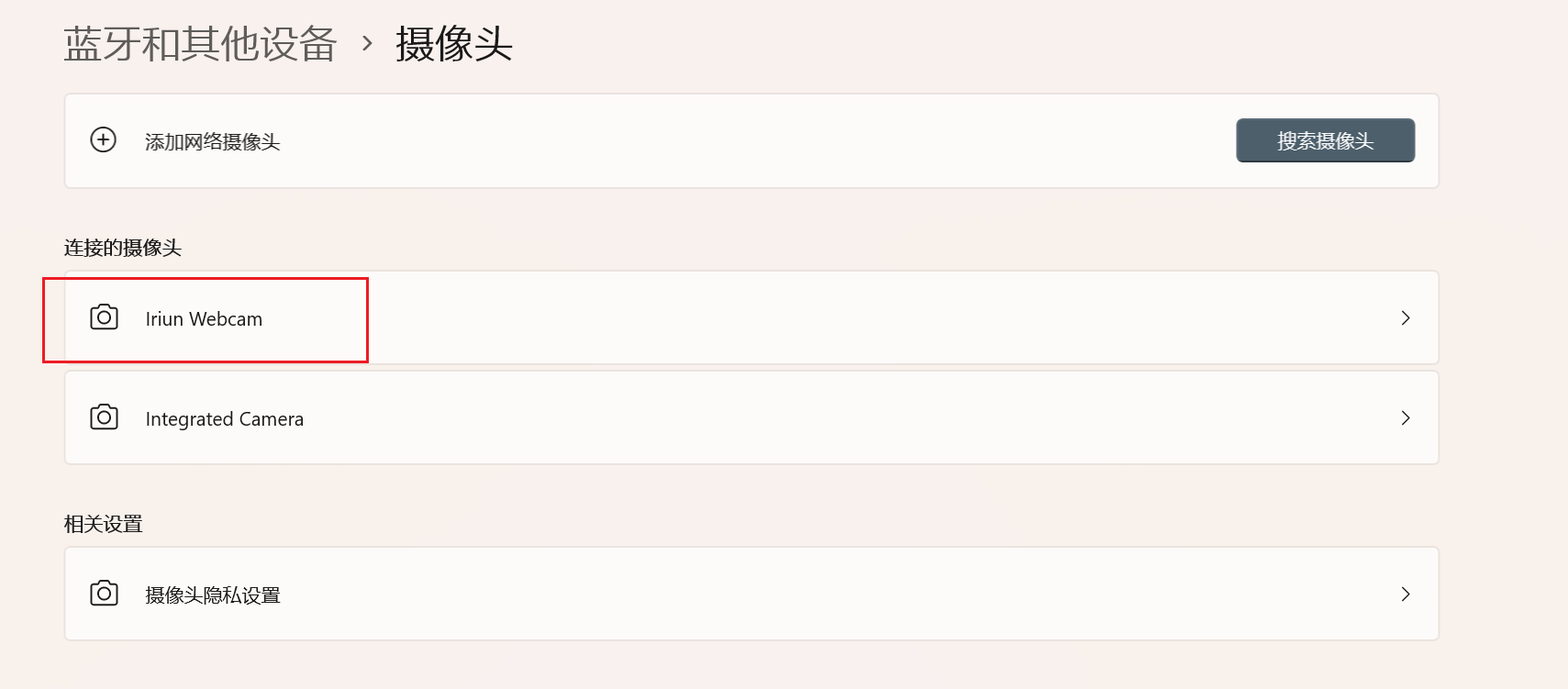
iriun webcam可以将手机用作电脑摄像头,我们在设置里面把原生的摄像头禁用,启用我们的``iriun webcam`,注意,手机端也需要下载(google play可下载)。
具体使用方法有两种:usb连接、同一wifi网络下。
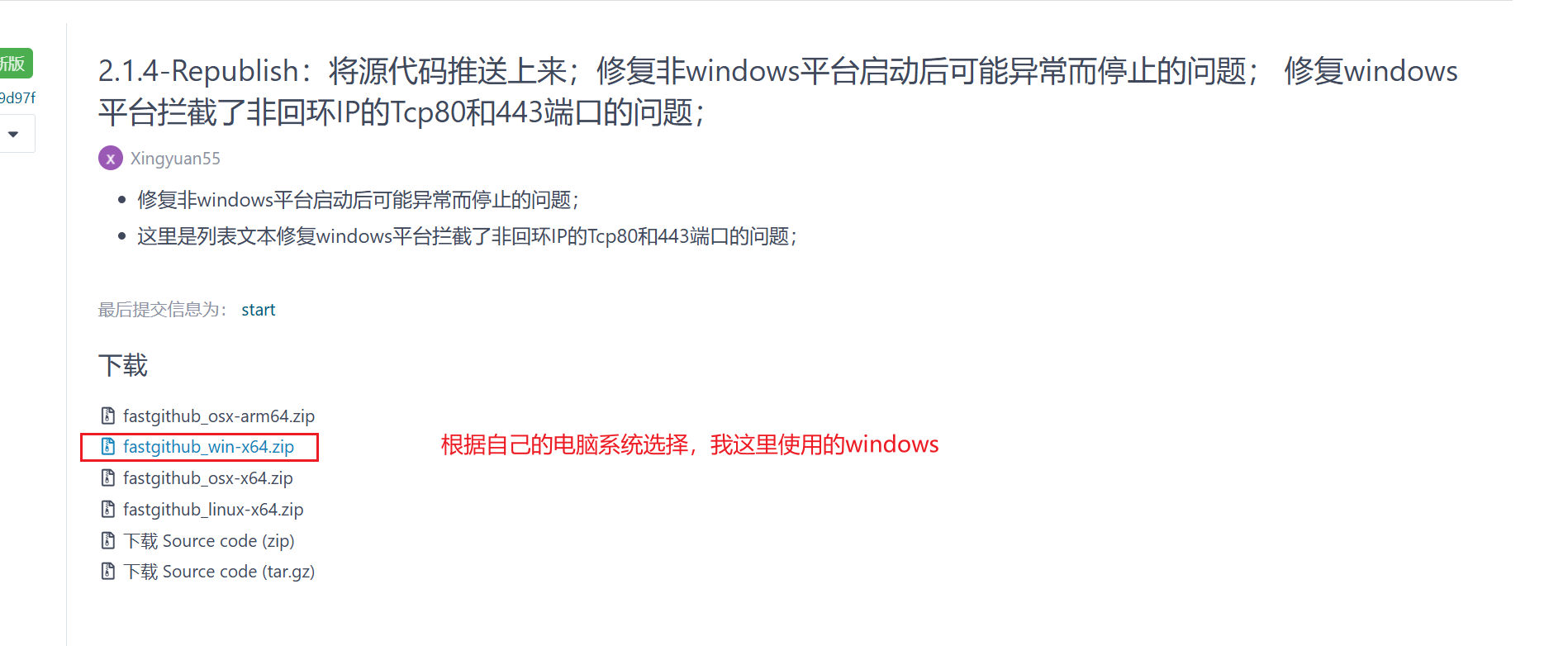
然后就是github的加速软件,这里我们选择fastgithub,这是不会改变定位的(非vpn)。
当然如果使用学校校园网能进去的话,可以不用加速软件。
注意:不能使用代理!!不能使用代理!!不能使用代理!!
2. github学生认证申请
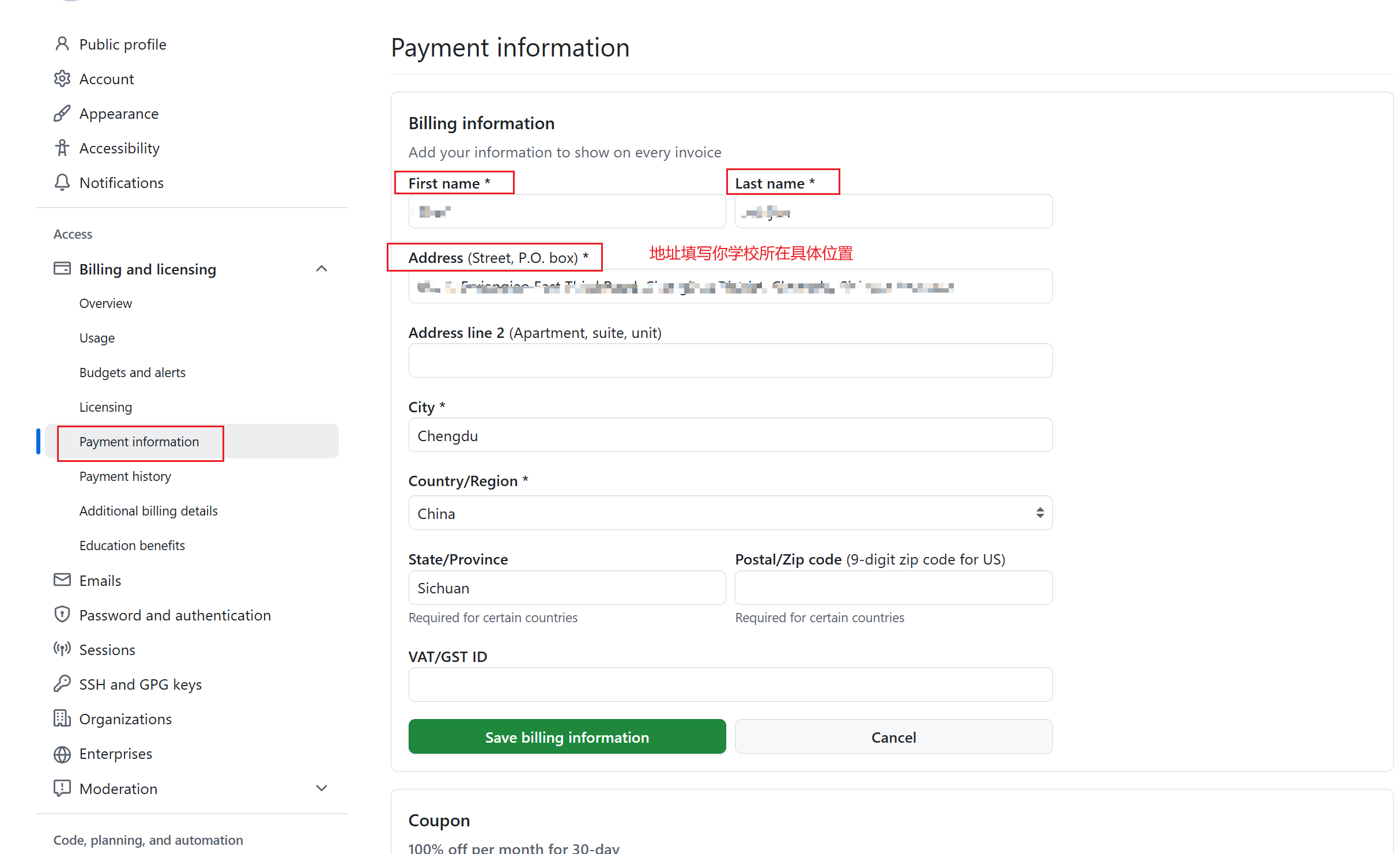
2.1 payment information填写
这个填写主要是解决问题:
Please complete your GitHub billing information with your full name exactly as it appears in your academic affiliation document. You do not have to add a payment method. You may need to log out and log back in to GitHub before reapplying. If you have only a single legal name, enter it in both the first and last name fields.
请使用与学术隶属关系文档中显示的全名完全一致地填写您的 GitHub 账单信息 。您不必添加付款方式。在重新申请之前,您可能需要注销并重新登录 GitHub。如果您只有一个法定姓名,请在名字和姓氏字段中输入该名称。
You are unlikely to be verified until you have completed your GitHub user profile with your full name exactly as it appears in your academic affiliation document. Please do not use a variation of your name or a nickname. Once you have updated your profile information log out and log back into GitHub before re-applying.
在完成 GitHub 用户个人资料之前,你不太可能通过验证,全名与学术隶属关系文档中显示的姓名完全一致。请不要使用您姓名或昵称的变体。更新个人资料信息后,注销并重新登录 GitHub,然后再重新申请。
注意:
- 这个地方的填写,Address需要填写你学校的具体位置,你可以选择使用百度地图 查找到你学校的具体位置,然后使用翻译软件去翻译成英文填写。
- 姓名填写本人的姓名拼音,注意大小写,比如张三,Zhang San
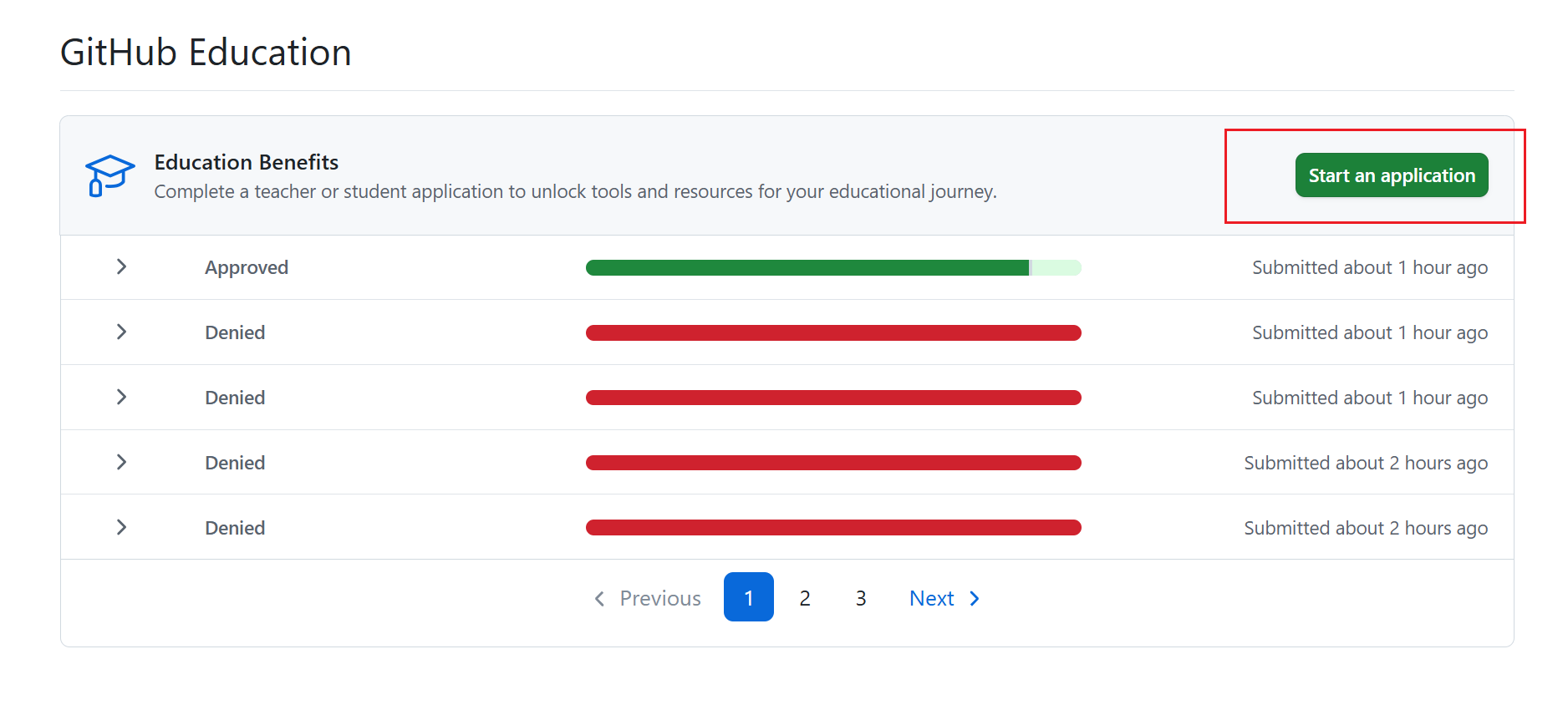
2.2 start an application
开始认证,点击按钮进入
进入界面之后,选择Student, 然后填写所在学校的英文名称(注意不是拼音),然后是学校邮箱(最好是学校邮箱,否则填写个人邮箱试一试,作者没有测试过可行性,不过听说可以)
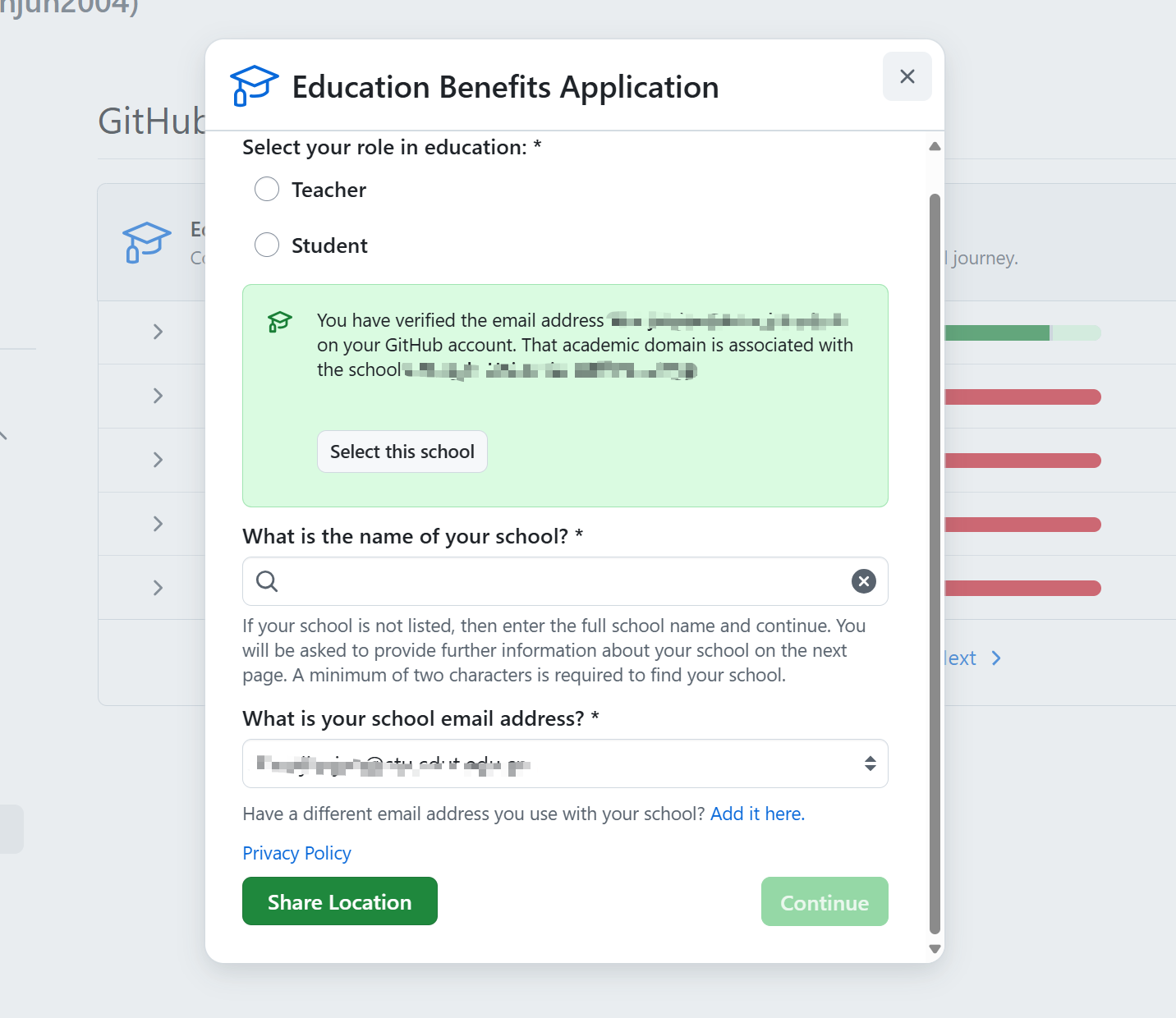
然后点击Share Localtion,注意给github定位权限,然后获取到数据之后,点击continue.
注意:如果使用的google浏览器,大概率share location会卡住,所以推荐用edge浏览器
然后是重点!!
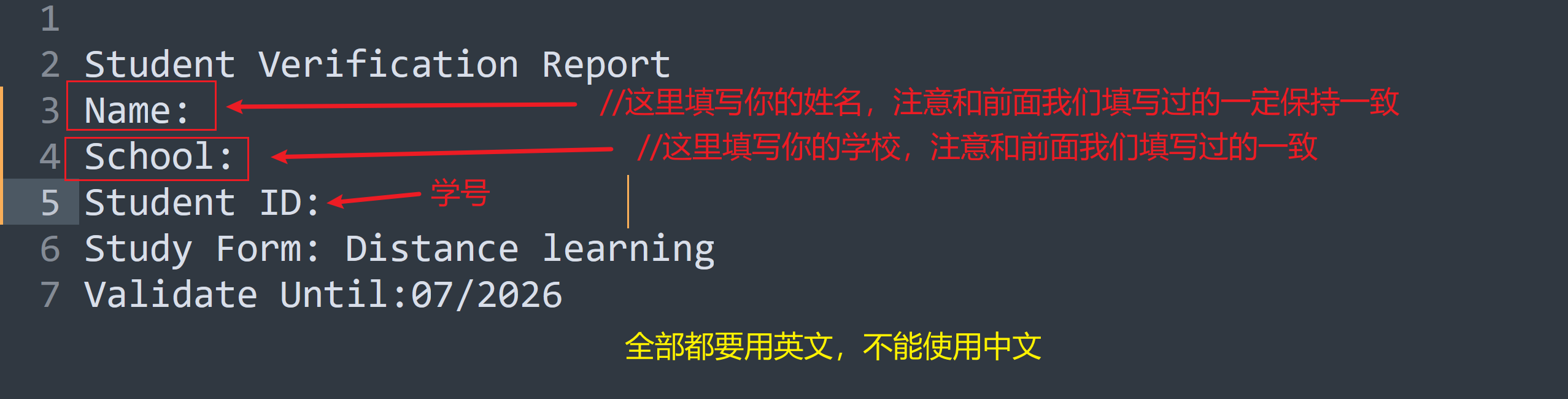
我们使用文本文档来作为证明材料。因此先创建一个文本文件或者word文件,将下述内容填写清楚之后,放到屏幕上等待后续操作:
这里按要求填写可以解决很多问题。比如如果出现过以下问题,这一步则可以解决:
- You must configure your browser and operating system to allow location access. You may not use a VPN. If you believe that our information about your school is incomplete or incorrect, then please select ‘My selected school has incorrect or incomplete information e.g. domains or campus location’ option when submitting a GitHub Education support ticket.
您必须配置浏览器和作系统以允许位置访问。您不得使用 VPN。如果您认为我们关于您学校的信息不完整或不正确,请在提交 GitHub Education 支持票证时选择“我选择的学校信息不正确或不完整,例如域或校园位置”选项。 - You appear not to be near any campus location for the school you have selected. Your academic affiliation documentation must indicate virtual learning if you are remote. You must configure your browser and operating system to allow location access. You may not use a VPN. If you believe that our information about your school is incomplete or incorrect e.g. missing campus location(s), then please select ‘My selected school has incorrect or incomplete information e.g. domains or campus location’ option when submitting a GitHub Education support ticket.
您似乎不在所选学校的任何校园位置附近。如果您处于远程状态,您的学术隶属关系文件必须表明虚拟学习。您必须配置浏览器和作系统以允许位置访问。您不得使用 VPN。如果您认为我们关于您学校的信息不完整或不正确,例如缺少校园位置,请在提交 GitHub Education 支持票证时选择“我选择的学校信息不正确或不完整,例如域或校园位置”选项。
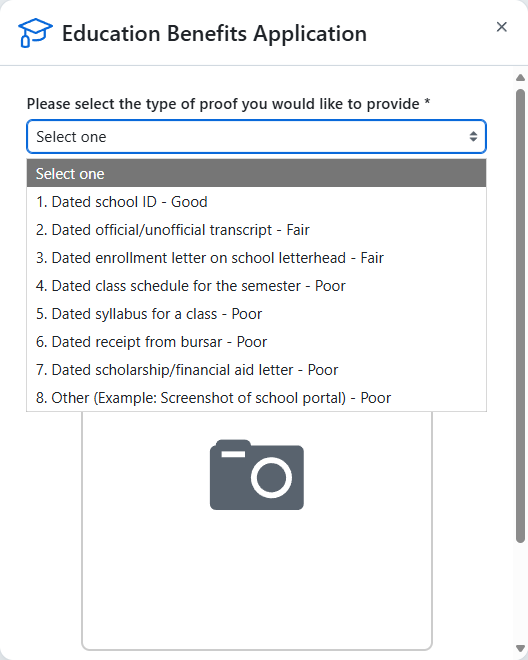
这里我们选择第一个Dated school ID-good
然后下面拍照,我们的方式是:使用手机拍照,电脑屏幕上放大我们写的文本文档。注意拍完整。
1 | |
然后进入下一步,注意:如果自己在学校,但是定位不准导致出现这个问题,我们必须选择第二项:All coursework is via distance learning
证明材料,和前面的方式一样,使用文本文档然后拍照的形式。
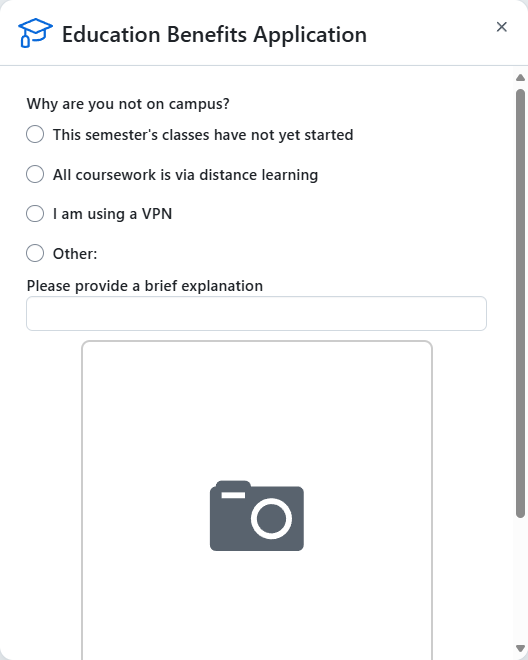
1 | |
注意拍完整。
然后基本上就通过了。可以等一分钟的样子,然后刷新,发现Approved,那就成功了。等三天人工验证,差不多就可以白嫖copilot了。
参考链接:
核心链接:(已解决)佬们,这种Github学生认证失败问题怎么解决 - 搞七捻三 - LINUX DO
学生认证申请页面:https://education.github.com/discount_requests/application
新版申请页面:https://github.com/settings/education/benefits
学籍证明模板:https://wwpt.lanzoul.com/iOnwg2k78q7g
经纬度查询:http://jingweidu.757dy.com
Copilot 免费使用页面:https://github.com/github-copilot/free_signup
注:fastgithub和steam++不算VPN,可以正常使用,人不在学校也能正常申请,也不需要连校园VPN
汉化插件,仓库地址:https://github.com/maboloshi/github-chinese
参考申请教程(CSDN):https://blog.csdn.net/m0_68397947/article/details/136127897